User Story Creation & Refinement — Frequently Asked Questions
What is Story Refinement in QAEverest?
Story Refinement is an AI-powered feature that helps you improve and structure raw user stories into well-defined, testable requirements. It takes your rough story description, asks clarifying questions, and produces a refined story with clear acceptance criteria, role definitions, and quality scores.
How does the Story Refinement wizard work?
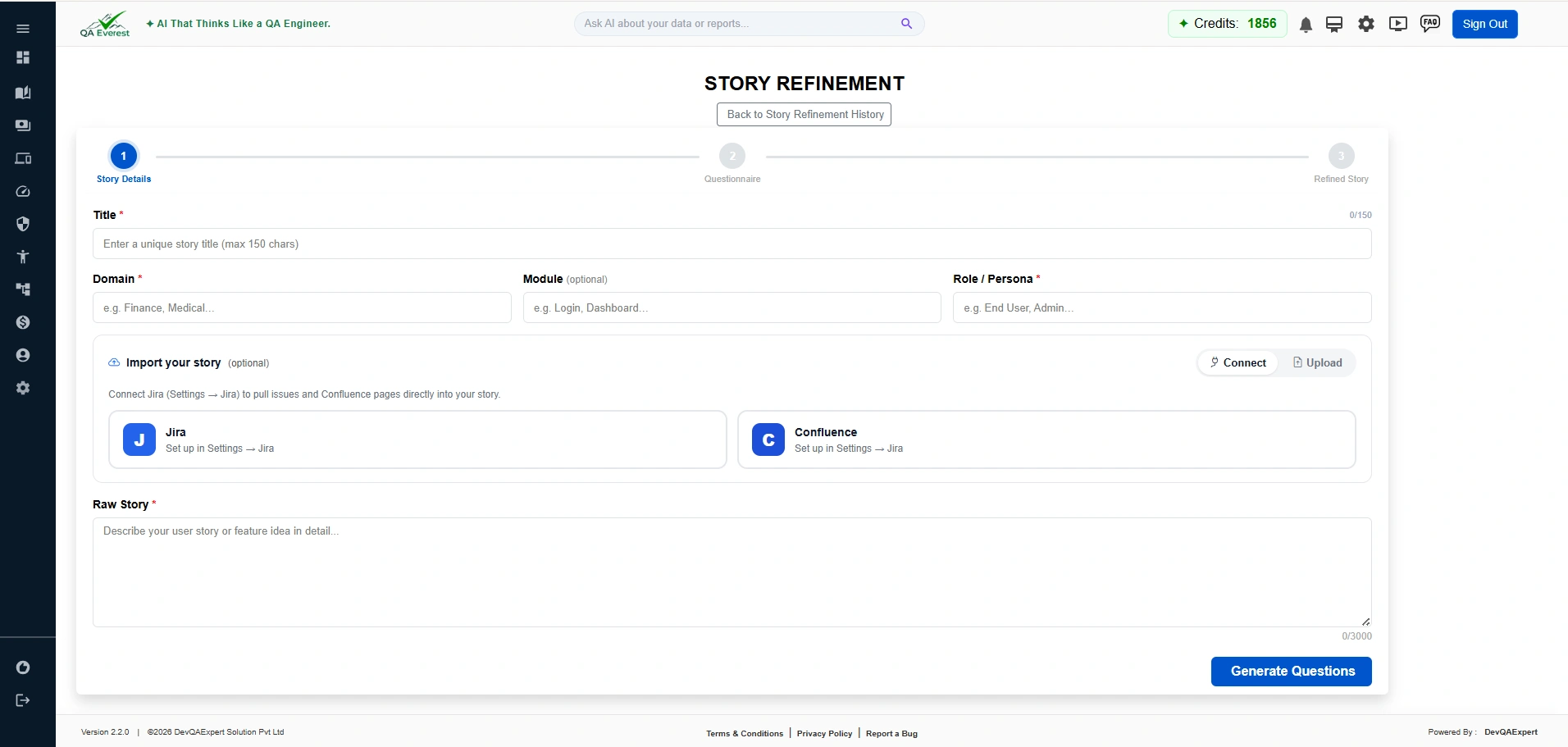
The wizard follows a 3-step process:
- Step 1 — Story Details: Enter the raw story title, description, role, and any relevant context. You can also import from Jira, ClickUp, or upload a file.
- Step 2 — Questionnaire: The AI asks targeted clarification questions to fill in gaps. Answer them to help the AI understand the requirements better.
- Step 3 — Refined Story: Review the AI-generated refined story with acceptance criteria, quality score, and variant options. Save or export when satisfied.
Can I generate test cases directly from a refined story?
Yes. After saving a refined story, use the "Generate Test Cases" option from the story detail view. The refined story's acceptance criteria are used as the AI input, producing more accurate and comprehensive test cases than a raw user story alone.
What is the Story Quality Health Meter?
The Story Quality Health Meter is a visual indicator that scores the quality of your refined story across dimensions such as clarity, completeness, and testability. A higher score means the story is ready for test case generation with fewer gaps.
Can I compare the raw story with the refined version?
Yes. Step 3 includes a Raw vs Refined diff view toggle that lets you side-by-side compare what changed between your original input and the AI-refined output. This helps you verify that no important details were lost or altered.
What are AI story variants?
The AI generates up to 3 alternative versions of the refined story. You can browse these variants and pick the one that best fits your requirements. Each variant may emphasize different aspects of the functionality or present acceptance criteria differently.
What does AC conflict or gap detection mean?
QAEverest automatically analyses the acceptance criteria (AC) for logical conflicts (two criteria that contradict each other) and gaps (important scenarios not covered). Warning badges are shown inline so you can address issues before generating test cases.
Can I import a story from Jira or ClickUp for refinement?
Yes. On Step 1 you can paste a Jira issue ID or ClickUp task ID. QAEverest will fetch the story details (title, description, attachments) and pre-fill the form automatically. You can also upload a file (DOCX, PDF, or Confluence export) to import story content.
Can I export a refined story back to ClickUp?
Yes. On Step 3 there is a ClickUp one-click export button. Clicking it pushes the refined story and acceptance criteria back to the linked ClickUp task. Ensure your ClickUp integration is configured under Account Settings before using this feature.
How many test cases will my refined story generate?
Step 3 includes a test-case count estimator that predicts roughly how many test cases will be produced based on the number of acceptance criteria and complexity of the refined story. This helps you plan credit usage before generating.
How do I save a refined story?
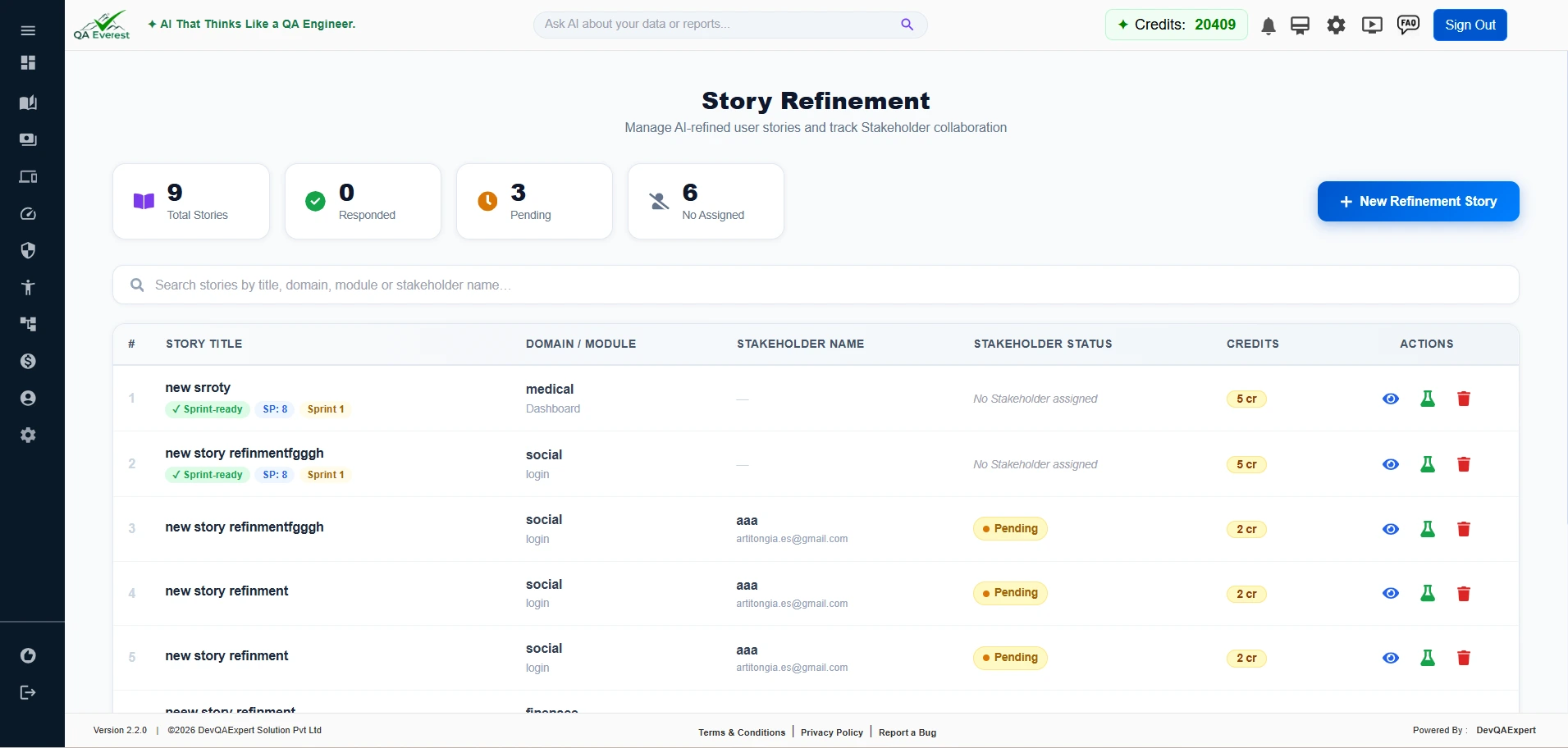
On Step 3, click the "Save" button to store the refined story to your account. Duplicate stories are detected automatically — if an identical story already exists you will be warned before saving. Saved stories appear in your Story Refinement History page.
Where can I view my past refined stories?
Navigate to Story Refinement in the sidebar. All previously refined and saved stories are listed there with their quality scores and refinement dates.
Does refining a story consume credits?
Yes. Each story refinement uses 1 credit from your plan balance, similar to how generating test cases from a user story consumes credits.