Exploratory Testing — Frequently Asked Questions
What is Exploratory Testing in QAEverest?
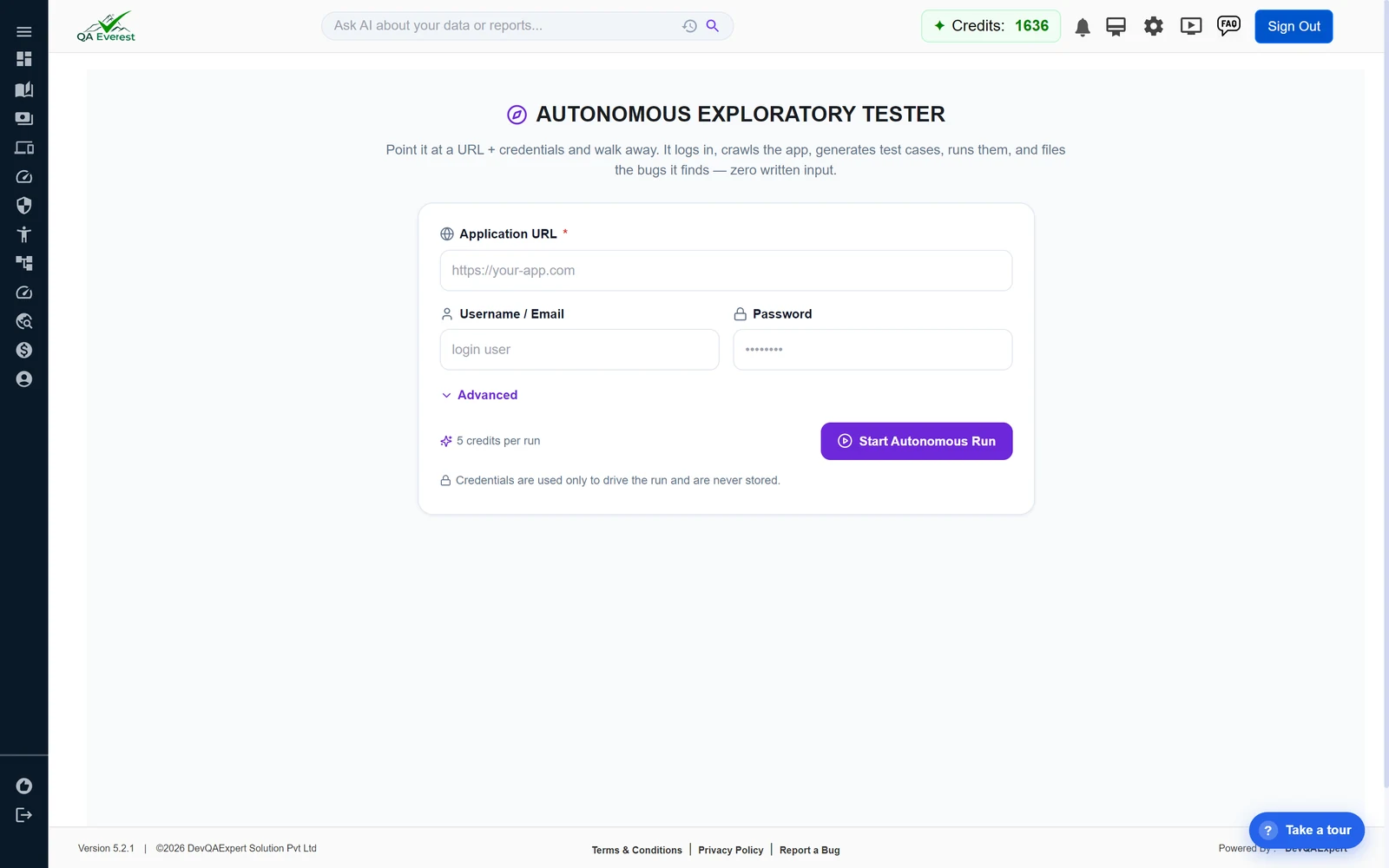
QAEverest's Exploratory Testing is an Autonomous Exploratory Tester. You point it at a URL (with optional credentials) and walk away — it logs in, crawls the live app, generates test cases, runs them for real, and files the bugs it finds, with zero test scripts written by you.
What are the phases of an exploratory run?
Each run works through five sequential phases:
- Login — opens the URL in a real browser, finds the login form, signs in, and verifies success. Apps with no password field are treated as public and skip straight to crawling.
- Crawl — breadth-first crawl of the same origin only, recording pages, links, buttons, inputs, and forms. A destructive-action filter avoids following logout, delete, or cancel links.
- Discover Flows — AI synthesizes up to six Gherkin flows from the crawl map, with a deterministic heuristic fallback if AI is unavailable.
- Execute — runs each flow in a real browser, reusing the authenticated session.
- Triage Bugs — AI analyzes each failed flow into a structured bug candidate.
How do I start an exploratory run?
- Open Exploratory from the sidebar.
- Enter the Application URL (must start with
http://orhttps://). Give the site's address to explore the whole app, or the address of one page inside it, such as an admin or settings page, to start there. If that page needs a login, the run signs in and opens it; if the app still won't show it, the run stops and says why instead of exploring a different page. - Optionally add a username/email and password for protected apps, and adjust the advanced options — max pages to crawl (1–25, default 8) and max crawl depth (1–4, default 2).
- Click Start Autonomous Run. The page shows a live phase stepper, progress bar, and counters for pages crawled, flows generated, passed, failed, and bugs found.
What does an exploratory run produce?
- Discovered flows — each an expandable Gherkin feature tagged as AI- or heuristic-generated, with pass/fail/not-run status.
- Execution rollup — passed, failed, and total counts.
- Bug candidates — each with a title, severity, expected vs actual behaviour, reproduction steps (the Gherkin), and a screenshot on failure.
- Run history — a "Recent runs" list of your last runs with URL, pages, pass/fail, and bug count.
How are bugs classified, and can I file them?
Every bug candidate is given a severity of Critical, High, Medium, or Low. Click a bug card, or its View details button, to see the whole bug: the flow's steps with the failed one marked, the automation's own message and the screenshot taken when it failed. You can file any bug with one click to Jira (using a project key) or ClickUp (using a list ID), from the card or from its details. Once filed, the card shows the issue key with a link, and the same bug can't be filed twice from one run.
Is my login information safe?
Yes. Credentials are passed securely to the testing agent and are never stored — only a masked username (for example "Ad***") is kept with the run record, and the password is never saved.
What is the App map?
A map of the pages an exploratory run reached — how each was reached, which pages share a template, and which links it saw but did not follow — shown as a graph or a tree that fills in live during the crawl. Each page is coloured by what happened there (flows passed, a bug or failed flow, crawled, not crawled) and opens with a screenshot. To get just the map, choose Map the app only: it logs in, crawls and draws the map without generating or running anything.
Can I explore a single page from the map?
Yes. Pick any page on the map and choose Explore this page. It crawls that page and the pages it links to, writes up to three flows that start there, runs them and triages what broke, and can check the page's inputs too. The run's login is kept encrypted for a limited time (45 minutes by default) and reused, so there is no password to type again — or choose Forget saved login.
Can I see what changed in my app since the last crawl?
Yes. After a release, re-crawl and use the Compare dropdown on the App map to pick the earlier run of the same app. Pages are marked New, Changed (title, controls, forms or inputs) or Removed, and a strip counts each kind. The comparison is deliberately cautious: pages one run never reached are counted separately, and two records of the same page template are compared as one page, so changing data does not read as a changed app.
Can I keep the flows an exploratory run discovered?
Yes. Tick the flows you want — the passed ones are ticked already — choose Save as automation suite, name the suite and save. Each flow becomes one test case in a real UI Automation suite, up to 50 flows per save. Saving is free on an active plan. Logins are never copied into the steps and a flow that typed into a password field is skipped, so nothing secret lands in plain text; add the login once under Edit Suite → Suite Pre- steps.
How many credits does an exploratory run consume?
Exploratory runs are billed per page crawled, charged as each page is reached, so you only pay for the pages a run really visits. A full autonomous run costs 10 credits for each page it crawls, however many flows are generated. A map-only run (Map the app only) costs 5 credits for each page it crawls. Explore this page, started from a finished run’s app map, costs 10 credits per page explored. You can still view the Exploratory page and your run history without an active plan — only starting a run requires a subscription and sufficient credits.